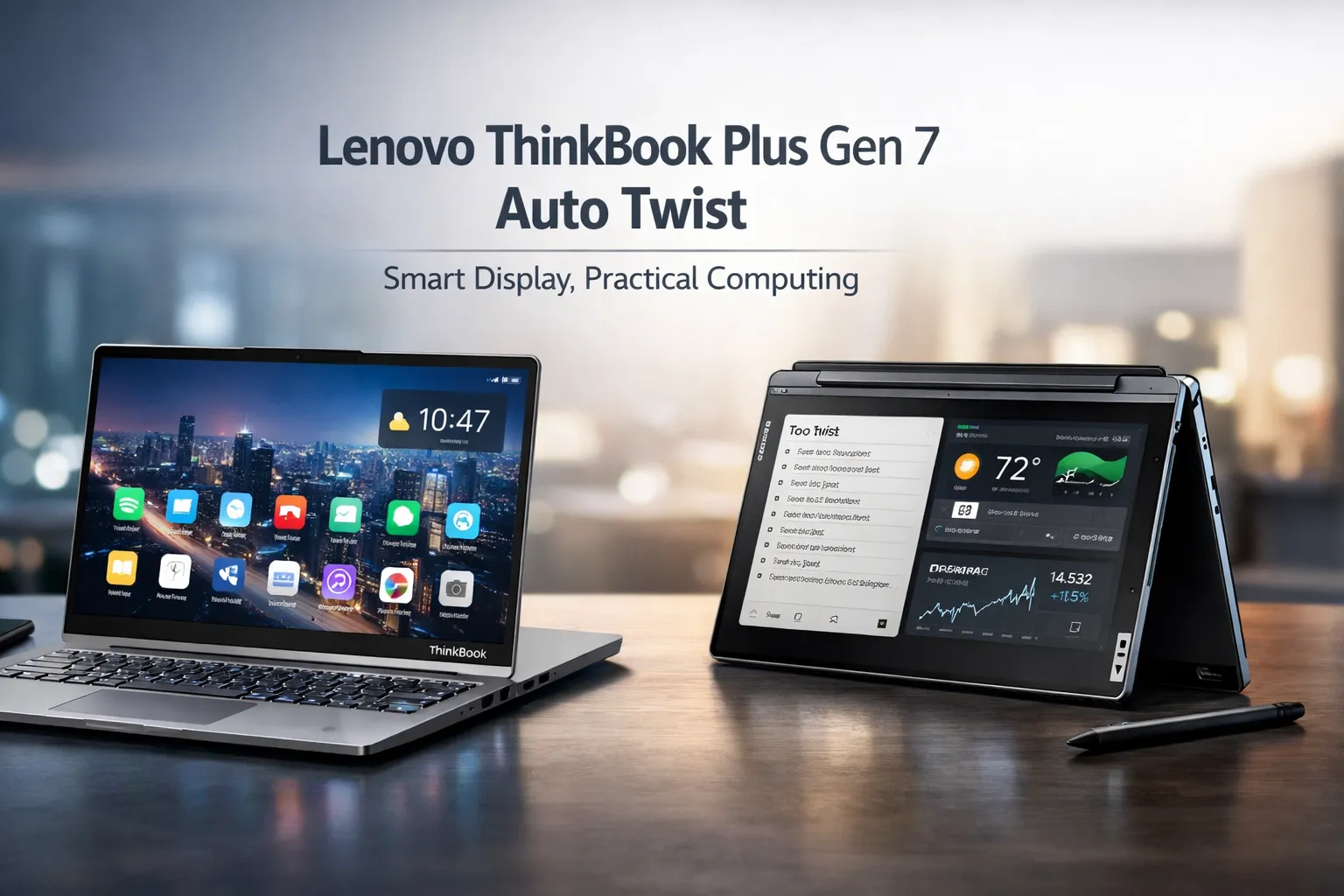
Lenovo ThinkBook Plus Gen 7 Auto Twist: Smart Display, Practical Computing
Introduction
The gap between experimental concept and shipping product has officially closed. Lenovo transformed its Auto Twist prototype into a market-ready device, announcing the Lenovo ThinkBook Plus Gen 7 Auto Twist at CES 2026. This laptop introduces a motorized dual-rotation hinge that physically tracks user movement through AI-powered facial recognition. The Lenovo ThinkBook Plus Gen 7 Auto Twist is not a rollable display or secondary E-Ink experiment. It is a production business laptop scheduled for June 2026 delivery. Evaluating the Lenovo ThinkBook Plus Gen 7 Auto Twist requires examining its mechanical core, real-world utility, and whether automation justifies the complexity.
What the Auto Twist Mechanism Actually Does
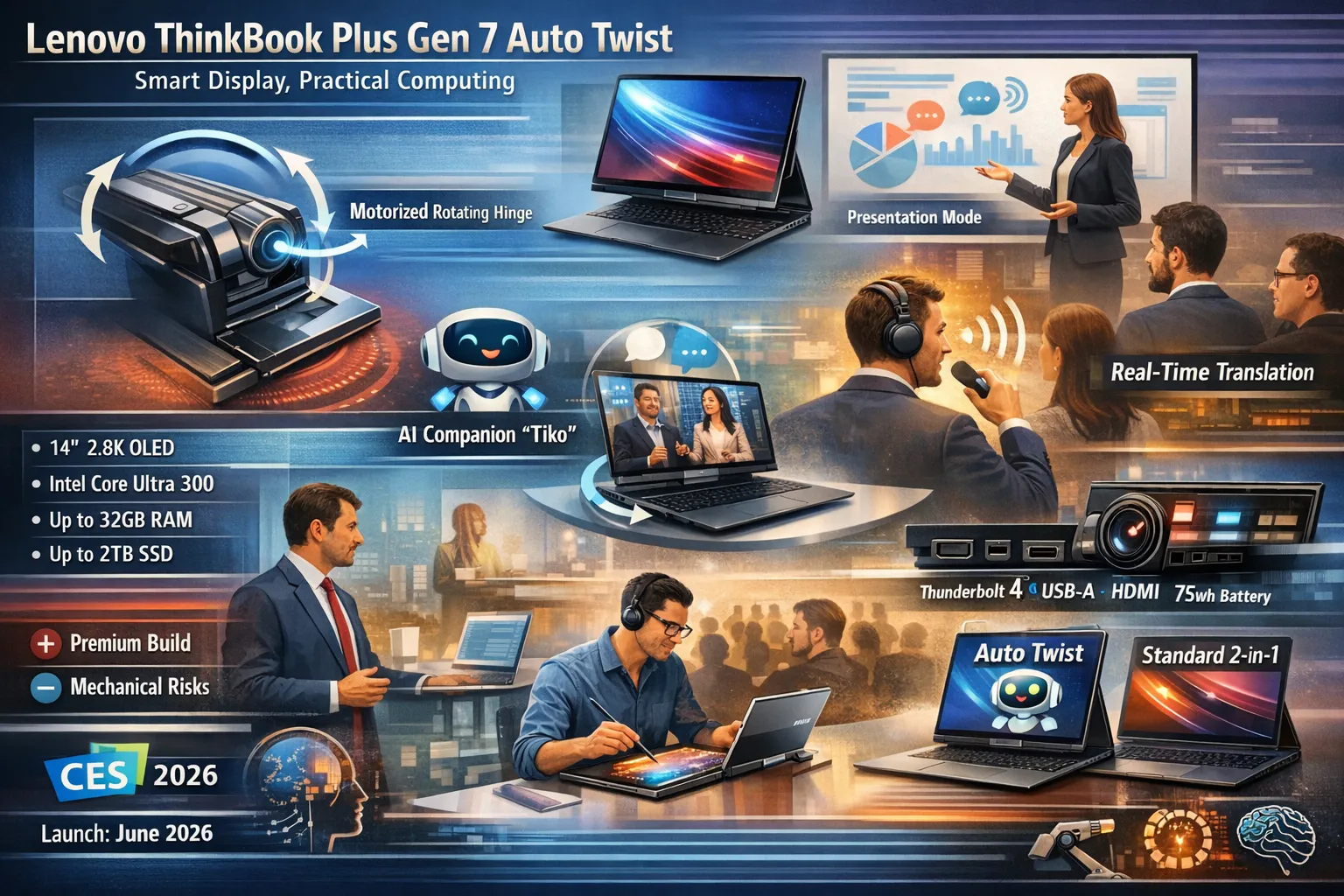
The primary entity defining this device is the electromotor-driven hinge located in a single central mount. Unlike standard laptop hinges that require manual force, this system uses motors to rotate the display both horizontally and vertically.
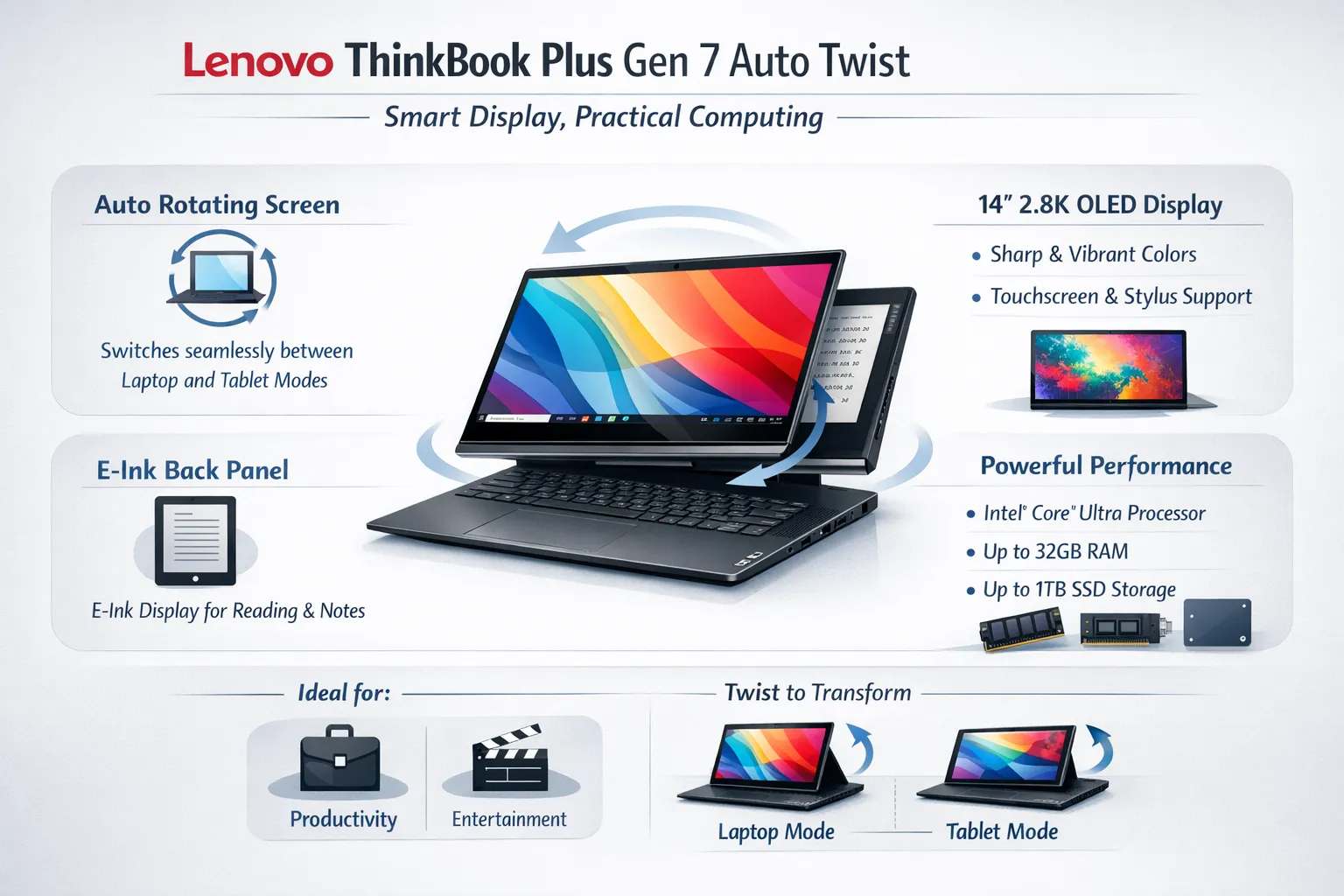
The hinge supports three primary orientations: standard notebook mode, standing tablet mode, and a sharing orientation for presentations. Users can trigger movement through voice commands to an assistant named “Tiko,” by knocking twice on the closed lid, or automatically via face tracking. The mechanism also adjusts vertical tilt based on posture analysis, creating a physical active-tracking system rather than a software-based center-framing crop.
Lenovo ThinkBook Plus Gen 7 Auto Twist: Smart Display, Practical Computing
From Concept to Production: Engineering Refinements
Lenovo first displayed the Auto Twist as a concept at IFA 2024. The production version arriving in 2026 incorporates significant mechanical upgrades. The electromotor operates faster and produces less audible noise compared to the prototype. Durability testing has increased to ensure the hinge withstands repeated automated cycles.
The refined design maintains a relatively thin profile despite the motor housing. Early hands-on reports confirm the twisting action feels smoother than earlier demonstrations. Lenovo claims the final version has enhanced durability for reliable transitions between modes. The company is betting that reliability will overcome initial “gimmick” skepticism.
Complete Technical Specifications
Beneath the moving display, the Lenovo ThinkBook Plus Gen 7 Auto Twist follows a conventional premium laptop architecture. Below is the complete specification table based on multiple CES 2026 announcements.
| Specification | Details |
| Display | 14-inch OLED, 2.8K (2880 x 1800), 120Hz, 500 nits, touchscreen, stylus support |
| Processor | Intel Core Ultra Series 3 (Panther Lake) |
| Graphics | Intel Integrated Graphics |
| RAM | Up to 32GB LPDDR5x (9600 MT/s) |
| Storage | Up to 2TB M.2 2280 PCIe Gen 4 SSD |
| Camera | Up to 10MP MIPI Camera with IR sensor |
| Audio | 4 speakers with Dolby Atmos, 4 microphones |
| Battery | 75 Wh |
| Weight | 1.4 kg (3.09 lbs) |
| Dimensions | 12.32 x 9.17 x 0.63-0.94 inches |
| Connectivity | Wi-Fi 7, Bluetooth 5.4 |
| Ports | 2x Thunderbolt 4, 2x USB-A 3.2 Gen 2, 1x HDMI 2.1, 1x 3.5mm audio jack |
| Security | Fingerprint reader (power button), dTPM 2.0, webcam privacy e-shutter |
| OS | Windows 11 with Copilot+ PC support |
| Color | Luna Gray |
Display Quality and Visual Performance
The 14-inch OLED panel delivers 2.8K resolution with a 120Hz refresh rate and 500 nits of brightness. Color reproduction and contrast are typical of OLED technology, offering deep blacks and vibrant saturation. The 120Hz refresh rate supports smoother cursor movement and scrolling.
The display rotates physically rather than just changing orientation in software, meaning the keyboard base remains stationary while the screen moves. The OLED panel maintains off-axis visibility better than IPS alternatives. The screen also supports stylus input for note-taking in tablet mode.
Pricing Structure and Available Configurations
Pricing is a critical factor for adoption. The Lenovo ThinkBook Plus Gen 7 Auto Twist has a confirmed starting price of $1,649 in the United States. This positions it above standard Ultrabooks but below premium mobile workstations. Below is the estimated configuration pricing based on available sources from CES 2026 announcements.
| Configuration | Processor | RAM | Storage | Price (USD) |
| Base Model | Intel Core Ultra 3 | 16GB | 512GB SSD | $1,649 |
| Mid-Range | Intel Core Ultra 3 | 32GB | 1TB SSD | $1,849 |
| High-End | Intel Core Ultra 3 | 32GB | 2TB SSD | $2,049 |
Note: Final regional pricing and availability may vary. The device is scheduled for a June 2026 release.
Voice Control and AI Companion “Tiko”
The laptop integrates a voice-activated AI companion named “Tiko.” Users can say “Hey Tiko” followed by commands such as “open lid,” “switch to tablet mode,” or “face me.” The system also includes a visual “Companion Mode” where the screen displays animated eyes that react to speech and user actions.
This feature serves accessibility purposes. Users with mobility limitations can reposition the screen without touching the device. For standard users, voice control reduces wear on the physical hinge. The one limitation is that users must disable face tracking to utilize voice commands, requiring a single-click toggle between the two features.
Real-Time Translation and Presentation Features
One under-served utility is the real-time translation capability. The motorized screen can rotate to face different speakers during a conversation, pairing with speech-to-text translation software. In a meeting scenario, the laptop listens, translates the foreign language, and physically turns toward the active speaker.
For presentations, “Sharing Mode” swivels the screen 180 degrees to face someone sitting opposite. This eliminates the awkward laptop-passing dance common in small meetings. The motor executes this movement automatically when the camera detects a face on the opposite side.
Camera System and Facial Tracking Accuracy
The 10-megapixel MIPI camera works with an IR sensor for Windows Hello facial login. For the twisting feature, the camera tracks skeletal movement and head position. When the user steps to the left, the motor rotates the screen left to maintain eye-line alignment.
The laptop also includes an AI-powered “Desk View” feature that lets the camera scan and analyze objects placed near the device. In demonstrations, the system successfully identified product dimensions and price points from physical objects. However, the tracking struggles with multiple people in the frame, as the camera attempts to track everyone simultaneously.
Port Selection and Physical Connectivity
Unlike many thin laptops that sacrifice ports, the Auto Twist retains a functional selection. The left and right sides house two Thunderbolt 4 ports, two USB-A 3.2 Gen 2 ports, one HDMI 2.1 output, and a 3.5mm audio jack. The inclusion of USB-A is notable given the industry trend toward USB-C only.
Power delivery occurs through the Thunderbolt ports. External monitor support extends to two 4K displays simultaneously. The HDMI 2.1 port allows connection to projectors without a dongle, which is essential for business travel.
Everyday Usability and Practical Workflows
Is this useful for daily work? The answer depends on the user’s movement habits. A desk-bound worker typing emails gains nothing from a rotating screen. However, a consultant who paces while thinking or an instructor who moves around a whiteboard will benefit.
For standard productivity, the OLED screen and comfortable Chiclet keyboard are the primary value drivers. The twisting function is situational. It solves the specific problem of maintaining eye contact during physical movement. If you do not move frequently, you may not need this laptop.
Competitive Comparison with Standard Convertibles
Standard 2-in-1 laptops use manual hinges. The user must reach out and flip the screen. The Auto Twist automates this transition. The competitor set includes the HP Spectre x360 and Dell XPS 2-in-1, both offering OLED screens at similar prices but lacking motors.
The question for a buyer is whether automation is worth the premium. Manual hinges are more durable and cheaper to repair. Motorized hinges offer convenience but introduce a failure point. Lenovo claims enhanced durability, but long-term data does not yet exist.
Build Quality and Material Selection
The chassis uses a Luna Gray aluminum finish typical of Lenovo’s ThinkBook line. Dimensions vary from 0.63 to 0.94 inches in thickness due to the hinge housing. The single large hinge in the bottom center replaces the traditional two-hinge design. This central mounting point distributes torque evenly when the motor runs.
The keyboard features Chiclet-style keys with good travel. The trackpad is responsive. The device feels solid, though the lid is thicker than average to accommodate the rotation motors. This is a trade-off for functionality.
Battery Life and Power Management Expectations
Lenovo has not provided official battery life ratings. The 75Wh battery is large for a 14-inch laptop. However, the motor draws additional power whenever the screen moves. If the user triggers the auto-twist frequently, battery life will decrease noticeably.
If the user disables the motor and uses the laptop in static clamshell mode, the Intel Core Ultra 3 processor should deliver all-day battery life. The efficient OLED panel helps here. Expect significant variance in battery performance based on how often the hinge activates.
Target Audience and Professional Use Cases
This device targets mobile professionals and remote workers who conduct video calls from different spots in a room. It also suits salespeople who rotate their screens to show clients product images. The auto-open feature is helpful for users with limited hand mobility.
It is not a gaming laptop. It is not a workstation for video editing. The integrated graphics limit 3D performance. Lenovo explicitly markets this as a productivity tool for small to medium businesses where the novelty of the twist might also serve as a conversation starter.
Software Integration and Windows 11 Copilot
The laptop supports Copilot+ PC features in Windows 11. The AI integration extends beyond the hinge to include live captions and Windows Studio Effects. The camera’s automatic framing works in tandem with the motor.
Lenovo is touting this as a vertical AI solution for small businesses. Users must toggle between voice command mode and face-tracking mode. The two features cannot run simultaneously, though switching requires only a single click.
Potential Downsides and Mechanical Risks
Motorized components introduce repair complexity. If the motor fails, the hinge may become stuck. Standard laptop repair shops may lack the parts or expertise to fix the electromotor. Users should consider purchasing extended warranties.
The device also requires charging. If the battery is dead, the user cannot open the lid via voice command. Manual override exists, but it requires force against the motor resistance. This is a scenario where automation becomes an obstacle rather than an aid.
How to Evaluate the Value Proposition
Ask yourself one question: How often do you physically reposition your current laptop screen? If the answer is rarely, save your money and buy a standard Ultrabook. If the answer is constantly, the Auto Twist may reduce friction in your workflow.
The starting price of $1,649 is competitive with the MacBook Air 15-inch and Dell XPS 14. Those devices offer better performance per dollar but lack the motor. You are paying for engineering novelty. For tech enthusiasts and early adopters, that is sufficient reason to buy. For practicalists, it may not be.
Availability and Purchase Timeline
The Lenovo ThinkBook Plus Gen 7 Auto Twist will be available for purchase starting in June 2026. Pre-order dates have not yet been announced. Regional availability will likely begin in North America followed by Europe and Asia.
Pricing in the UK and Europe will reflect currency conversion and VAT. Historically, Lenovo maintains consistent global launch windows for ThinkBook products. Interested buyers should monitor Lenovo’s official website for regional listings in late Q2 2026.
Future Implications for Laptop Design
The Auto Twist signals a shift toward physically responsive hardware. For years, laptops changed through better screens and faster chips. Now, motors and sensors are entering the chassis. If successful, competitors may introduce similar tracking hinges.
If it fails, the industry will continue refining software-based solutions like Apple’s Center Stage, which crops the video feed rather than moving the screen. The physical approach offers better image quality because the camera lens moves to point at the user rather than digitally zooming and cropping.
Lenovo ThinkBook Plus Gen 7 Auto Twist: Smart Display, Practical Computing
Conclusion
The Lenovo ThinkBook plus Gen 7 Auto Twist represents a rare instance where a concept device survives engineering scrutiny to reach store shelves. It does not solve a universal problem, but it solves a specific one with precision. The motorized hinge transforms the laptop from a passive tool into an active participant in video communication. As remote and hybrid work persists, the demand for better camera interactivity will grow. Lenovo is betting that physical automation will win over software cropping. Whether the market agrees will become clear after the June launch. Professionals who value situational convenience over raw specifications should keep this device on their shortlist.
FAQs
What is the release date for the Lenovo ThinkBook Plus Gen 7 Auto Twist?
Lenovo has scheduled the release for June 2026 .
What is the starting price of the Auto Twist laptop?
The starting price is $1,649 in the United States .
Does the screen rotation work with multiple people in the camera frame?
No, the tracking performs best with a single user and may behave erratically with multiple faces visible .